The Crew App: How Your Field Team Runs Jobs From Their Phone
Here's a scene most service business owners know well: your crew chief calls the office at 7:45am because he can't find the customer's gate code. Your dispatcher is on another call. The crew sits in the driveway for ten minutes. The customer calls wondering where they are. You end up in the middle of it.
Or this one: a job gets done, the crew moves on, and two days later you realize nobody took before photos. The customer disputes the work. You have nothing to show them.
These aren't big problems — but they happen constantly, and they add up. The YardTack crew app is built to eliminate them.
No App Store Required
The crew app is a progressive web app (PWA). That means your field workers open it in their phone's browser, tap "Add to Home Screen," and it installs like a native app — no App Store, no Google Play, no IT department, no approval process. It works on any modern smartphone. If a crew member gets a new phone, they're set up in 60 seconds.
The app lives at your YardTack subdomain. It's branded to your business — your colors appear throughout so it looks like your app, not a third-party tool your crew has to log into.
What Your Crew Sees
When a crew member opens the app, a bottom tab bar gives them four sections — Today, Week, Chat, and Profile. Today shows every job scheduled for that day in order, each with a status badge (scheduled, in progress, complete). Week shows the full week grouped by day — useful for crew chiefs planning their routes the night before.
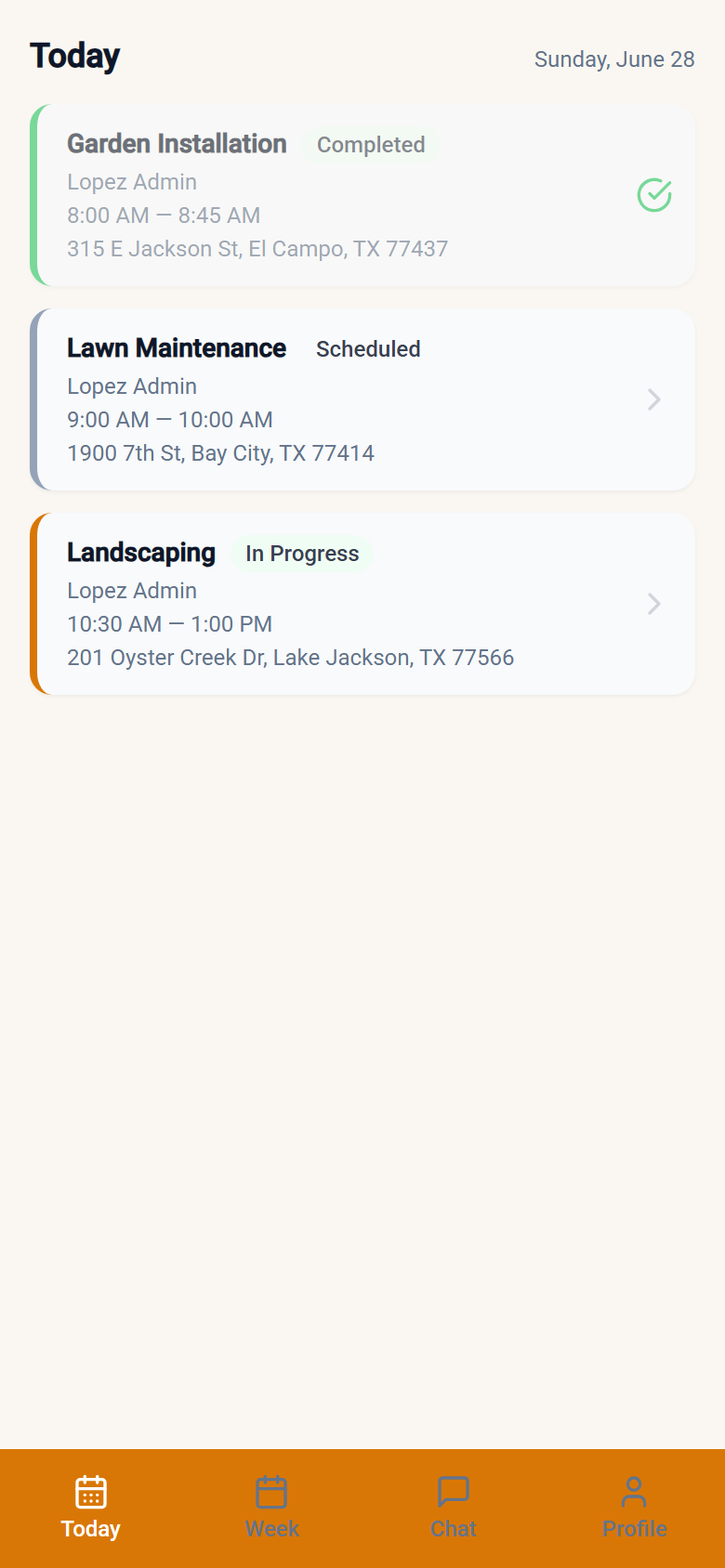
Tapping a job opens the 5-step job wizard. This is the core of the app — it walks the crew member through the job from arrival to completion without any ambiguity about what needs to happen next.
The 5-Step Job Wizard
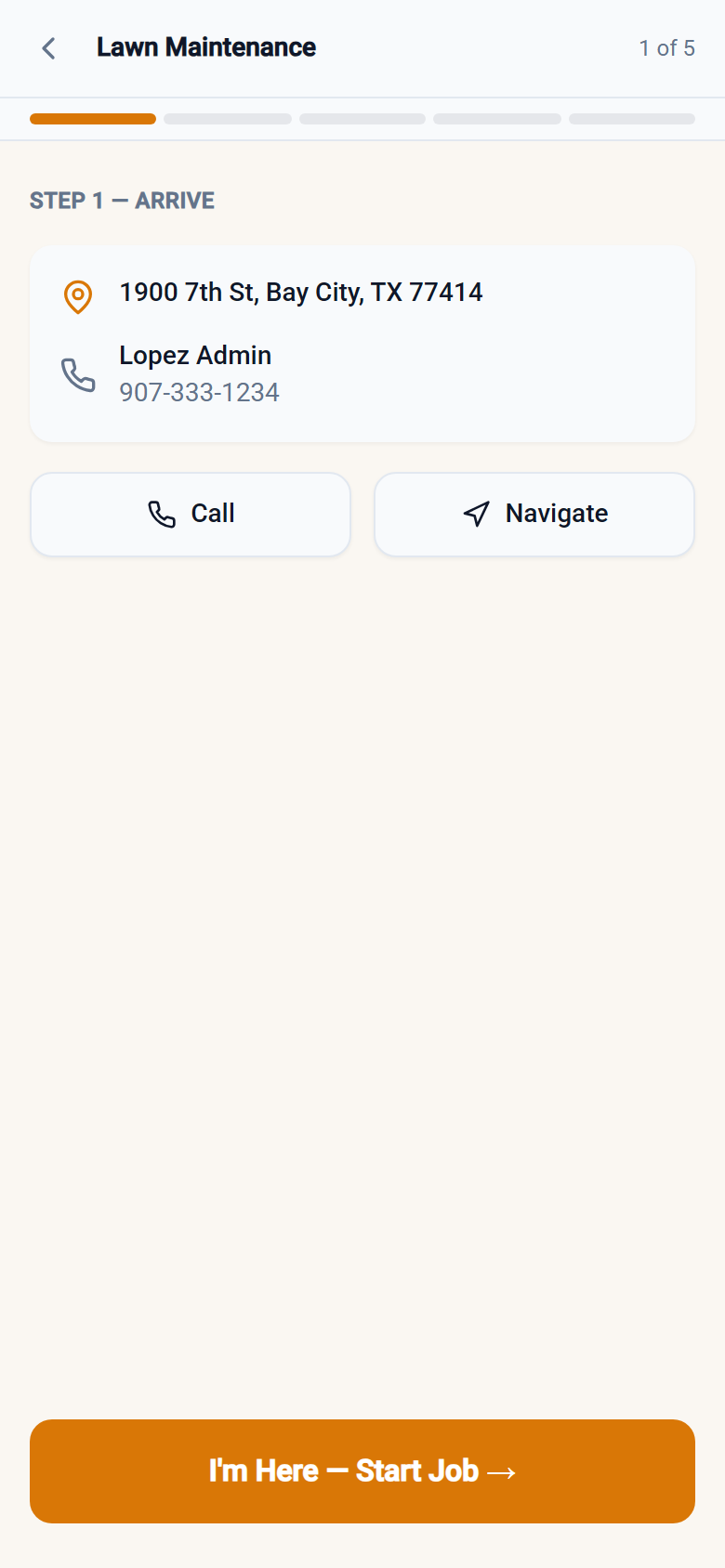
Step 1 — Arrive. The job address appears with a one-tap button to open Google Maps navigation. The customer's phone number is right there too — one tap to call. No searching contacts, no asking the dispatcher. Everything the crew needs to get to the job is on this screen.
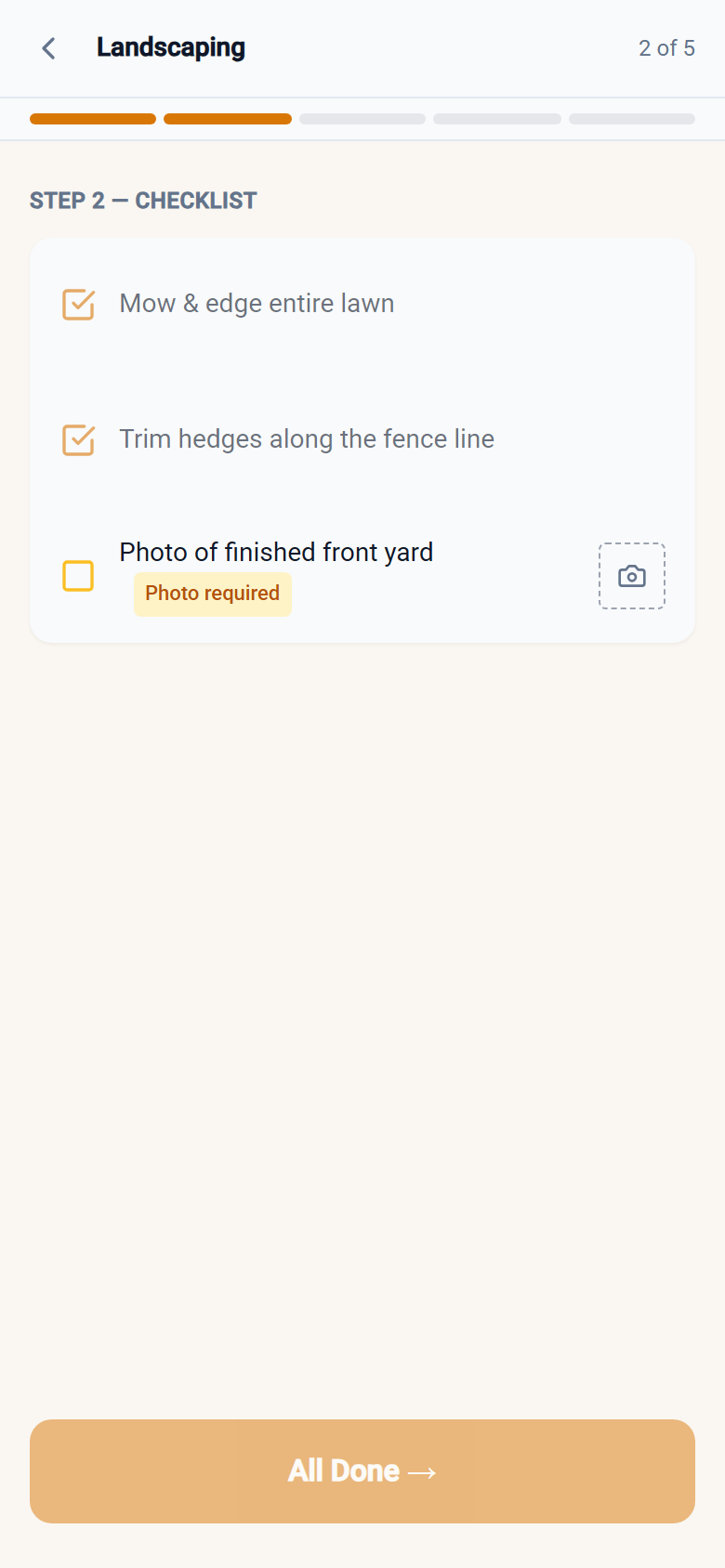
Step 2 — Checklist. Your admin configures task lists per service type. The crew sees those tasks and checks them off one by one. If you've marked a checklist item as requiring a photo, the crew member can't advance without capturing one. This is how you enforce quality standards without standing over anyone's shoulder.
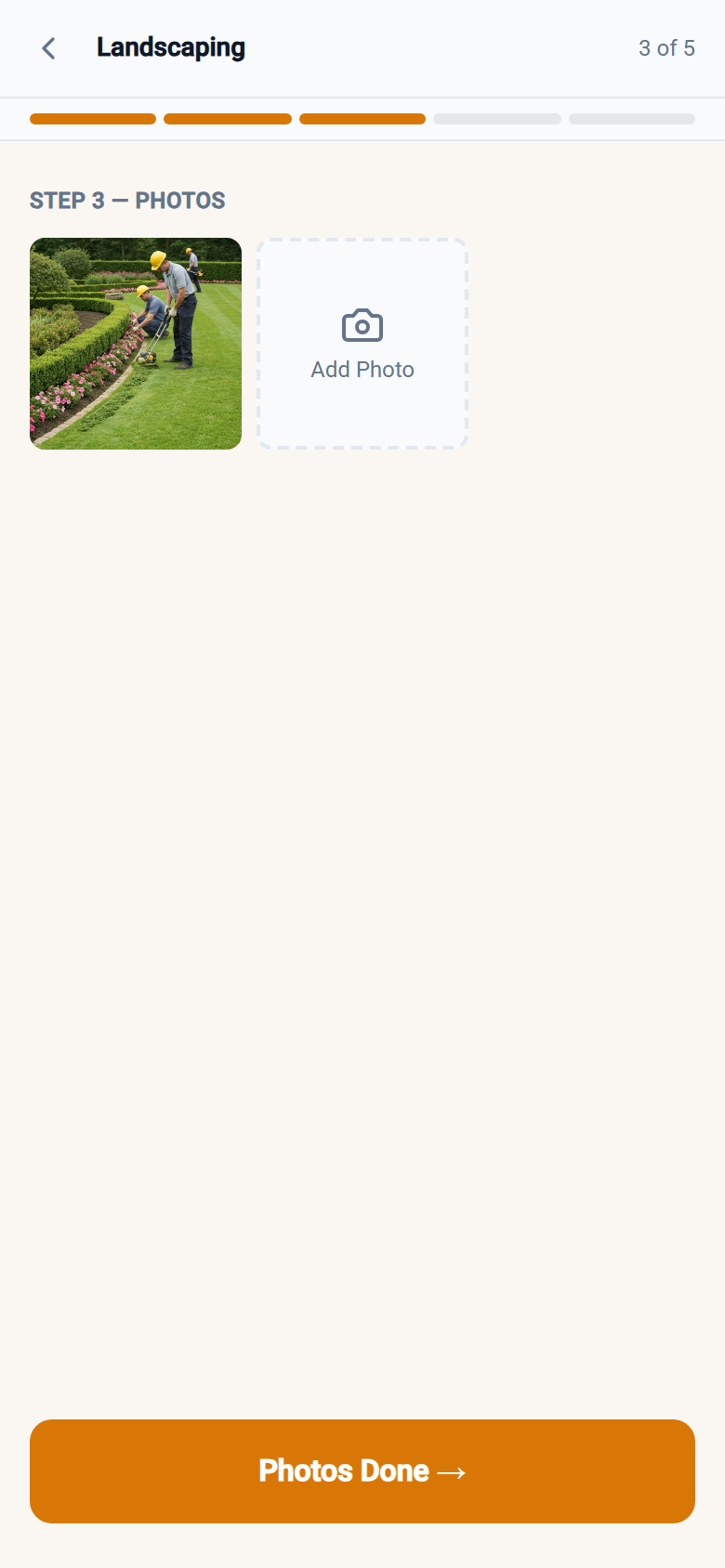
Step 3 — Photos. The crew captures or uploads job photos — at least one is required before they can proceed. Photos upload directly to cloud storage. You'll always have a visual record of completed work.
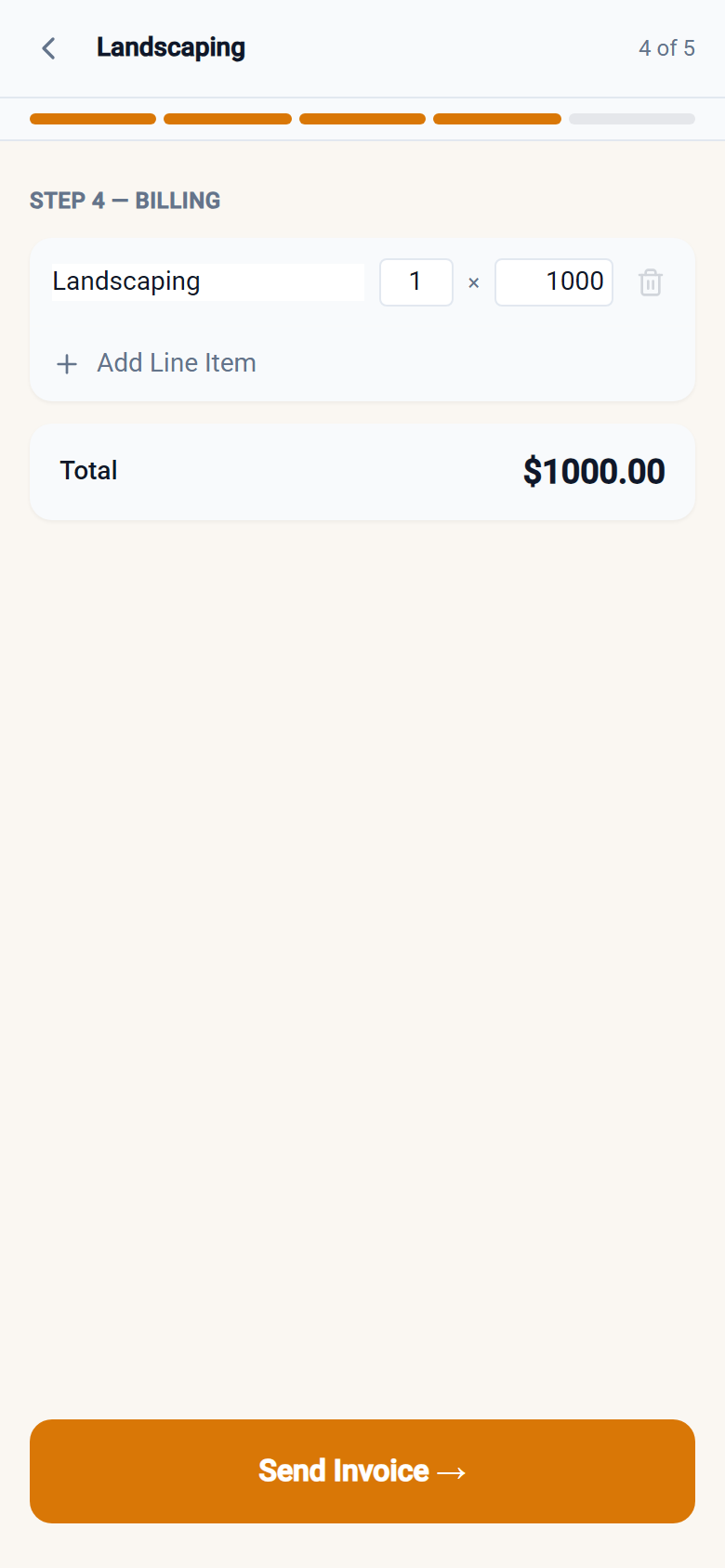
Step 4 — Billing. Line items are pre-filled from the service price you set. The crew can review them, add items if needed, and send the invoice directly from the job site. The customer gets the invoice by email before the crew pulls out of the driveway. No manual invoicing back at the office, no jobs that slip through the cracks.
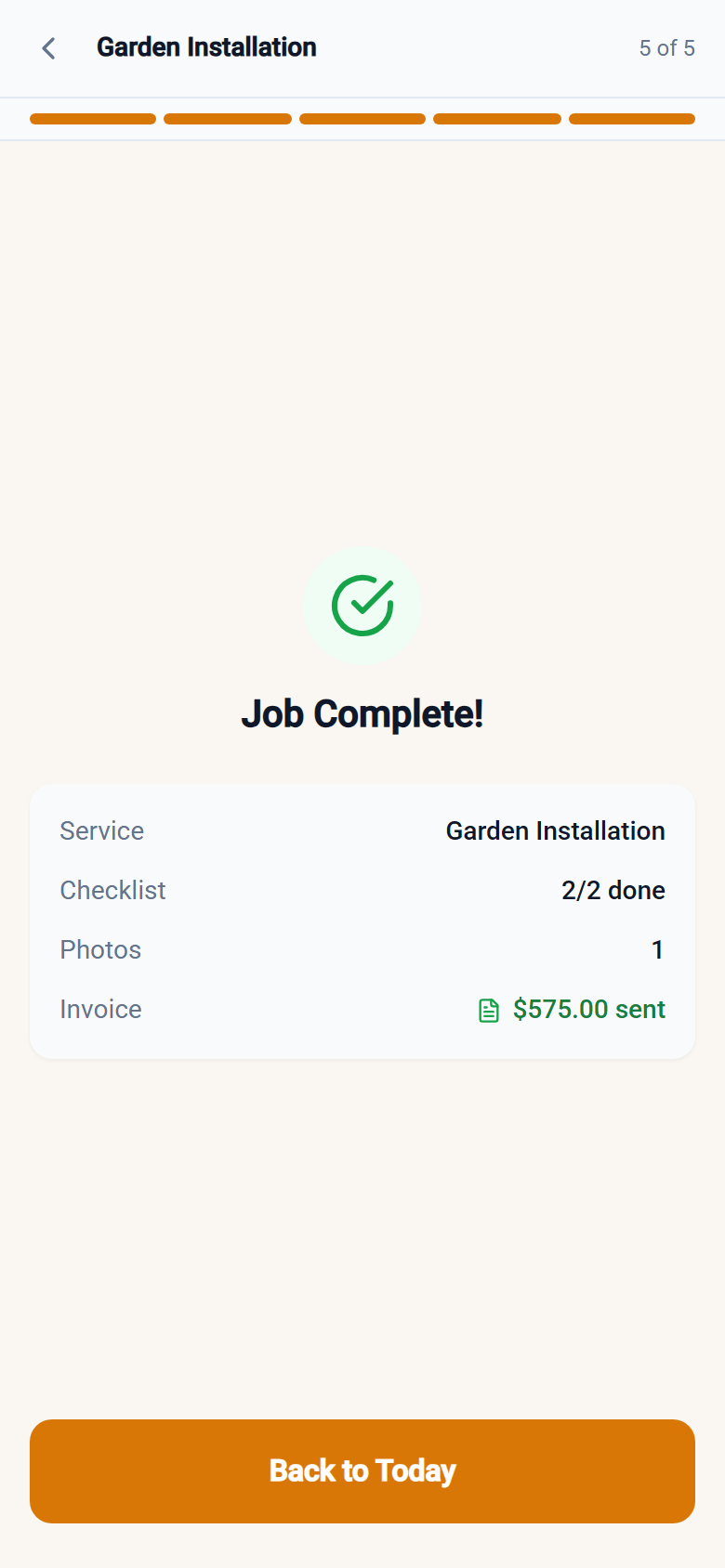
Step 5 — Complete. A summary screen shows the checklist completion, photo count, and invoice total. The crew marks the job done and moves to the next one.
Checklists That Actually Get Used
Paper checklists get lost. Digital checklists that live in a separate app don't get opened. The YardTack checklist is embedded in the job flow — you can't complete a job without going through it. You configure the tasks as an admin (different tasks per service type if you want), and the crew sees exactly what you set up.
The photo-required flag is the most useful piece. If you want photographic evidence that your pest control tech checked under the sink, mark that checklist item as photo-required. The crew member has to take the photo to move on. This creates an automatic documentation trail for every job — no discipline required, no reminders needed.
Field Invoicing Is the Differentiator
Most crews finish a job and the invoice gets sent hours later — or the next morning — or it gets forgotten entirely. Field invoicing from the job site changes the dynamic completely.
When your crew sends an invoice at the job site, the customer gets it while they're still home. They can pay immediately. You get paid faster. Disputes are less likely because the customer sees exactly what was done and what it costs in the moment, not days later when memories get fuzzy.
The line items pre-fill from your service pricing so there's no math for the crew to do. If they added materials or an extra service, they add a line item. The rest is automatic.
Real-Time Crew Chat
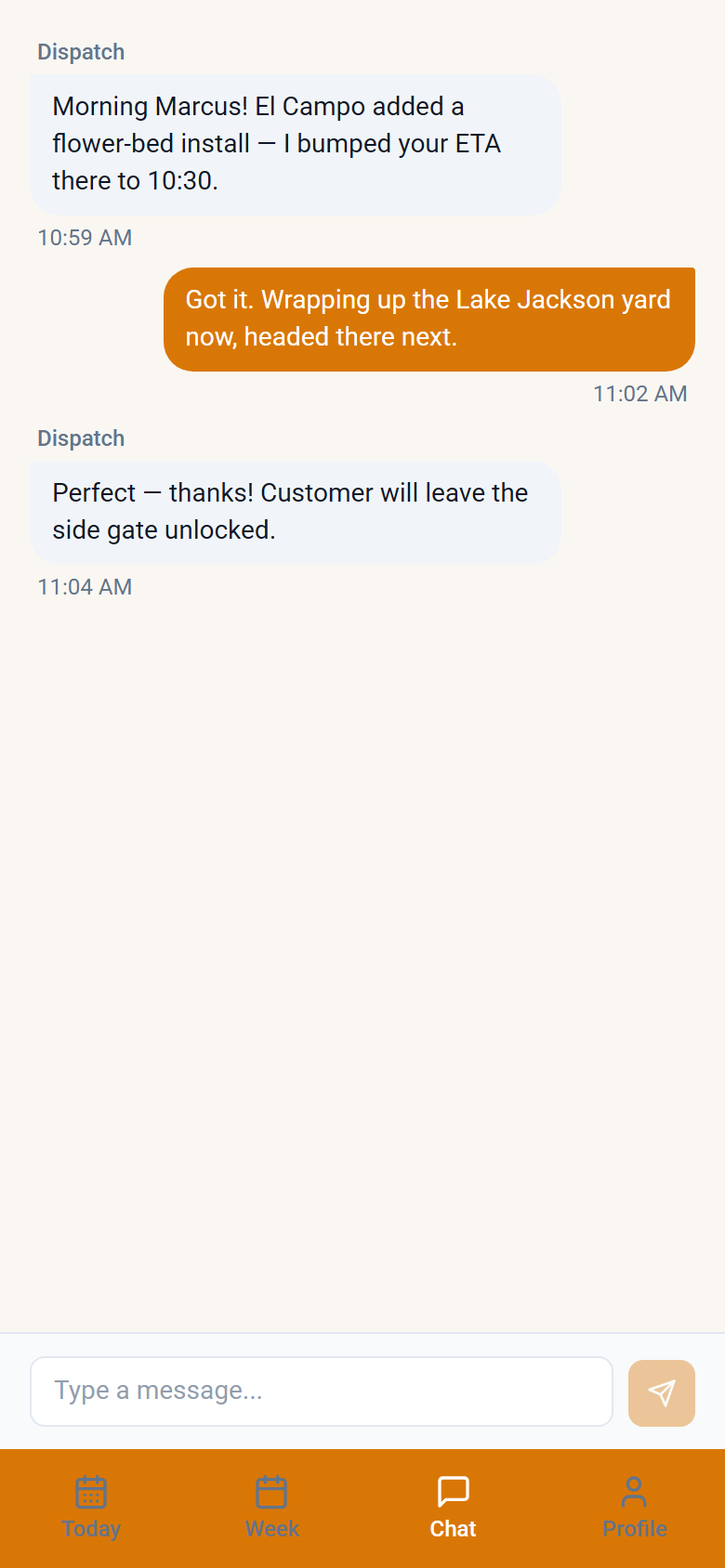
The app includes a built-in chat channel between field crew and dispatchers. This isn't SMS — it's a threaded crew chat that keeps job-related communication out of personal text threads and gives dispatchers a single place to coordinate the team. No more "which text thread was that in?" — everything crew-related is in the app.
No Per-Seat Pricing
Every crew member gets access. There's no per-user fee — adding a seasonal worker doesn't change your bill. This matters for service businesses that bring on extra crew in peak season. You're not penalized for growth.
See It in Action
The crew app is included with every YardTack plan. Start your free 14-day trial and have your crew running jobs from their phones by end of week. No credit card required.
— Patrick Kelly, Founder