From Basic to Beautiful: Transform Your Service Business Website in Minutes
Your website is your first impression. Make it count.
Most lawn care, pool service, and pest control businesses start with the same problem: a basic website that looks like everyone else's. Maybe you threw something together on Wix, or you're still using whatever template your nephew picked. It works — but it doesn't wow anyone.
What if you could transform your entire online presence in under 5 minutes — without touching a line of code?
That's exactly what YardTack's page editor does. Let me show you.
The Starting Point: A Basic Starter Site
Here's what a typical YardTack Starter site looks like out of the box. Clean, functional, gets the job done — but it's generic:
Before: Basic Starter homepage
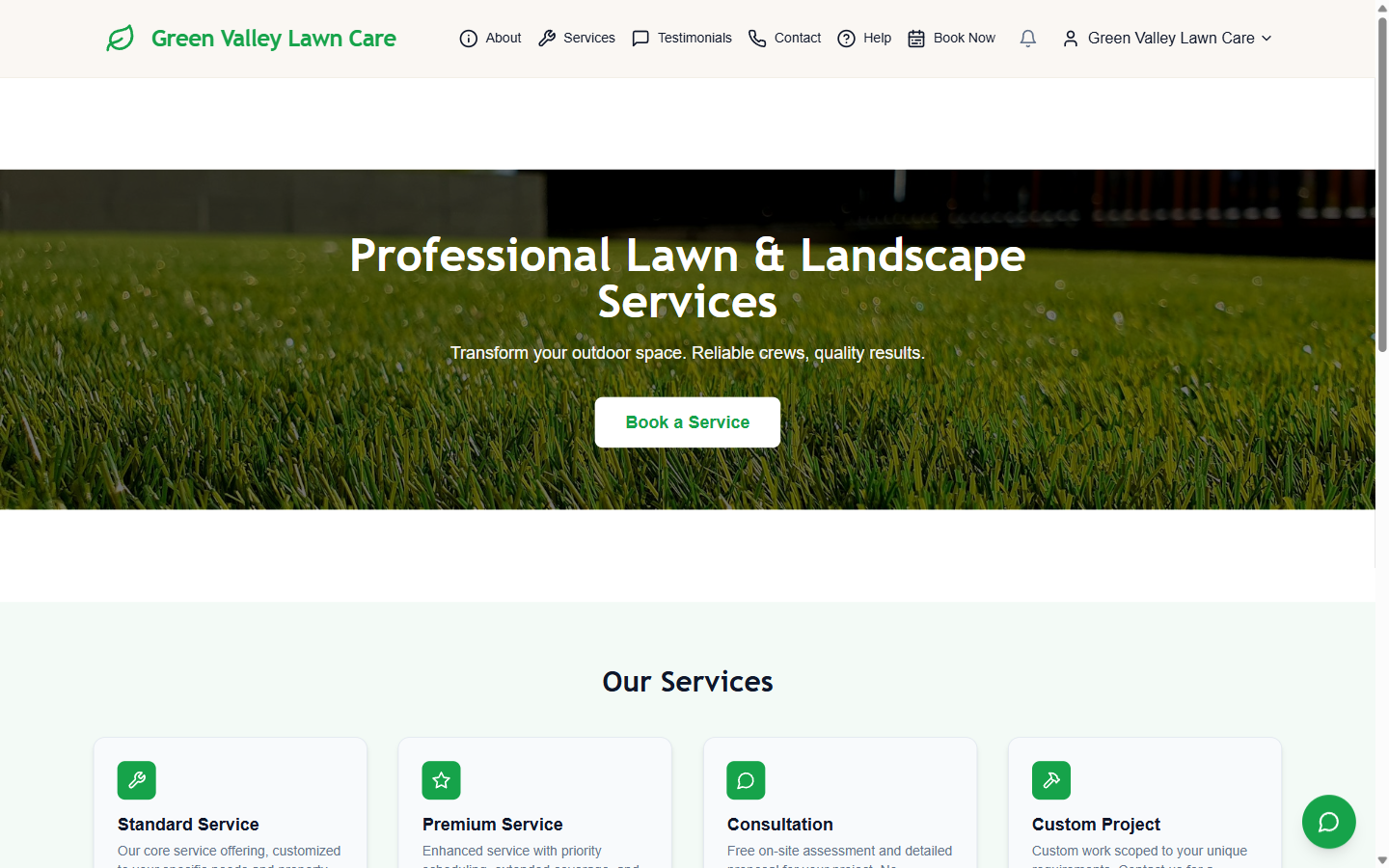
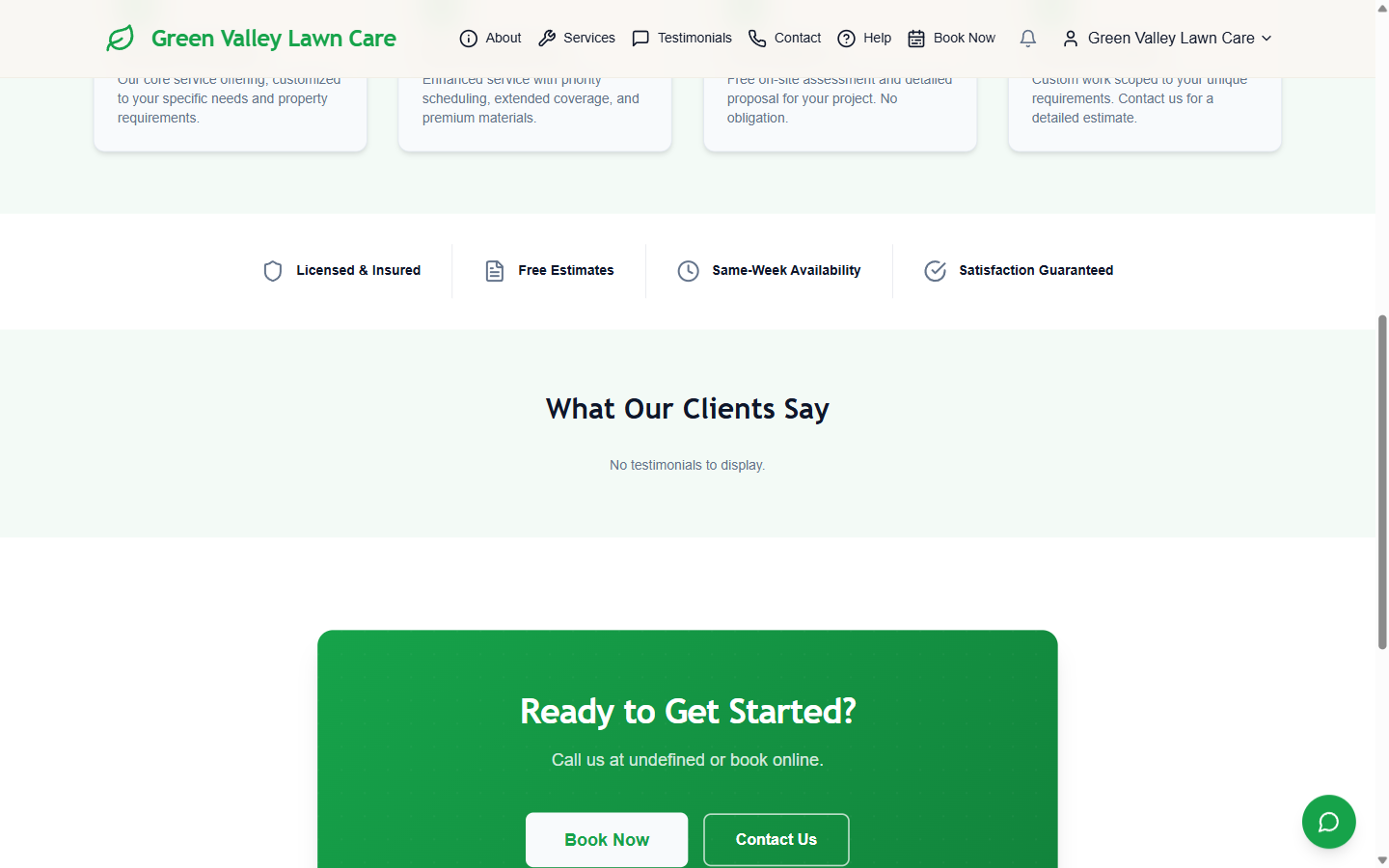
Standard green branding, a template hero image, and the same four service cards every competitor has. The services and testimonials sections are equally plain:
Before: Services & testimonials section
Before: Footer & CTA
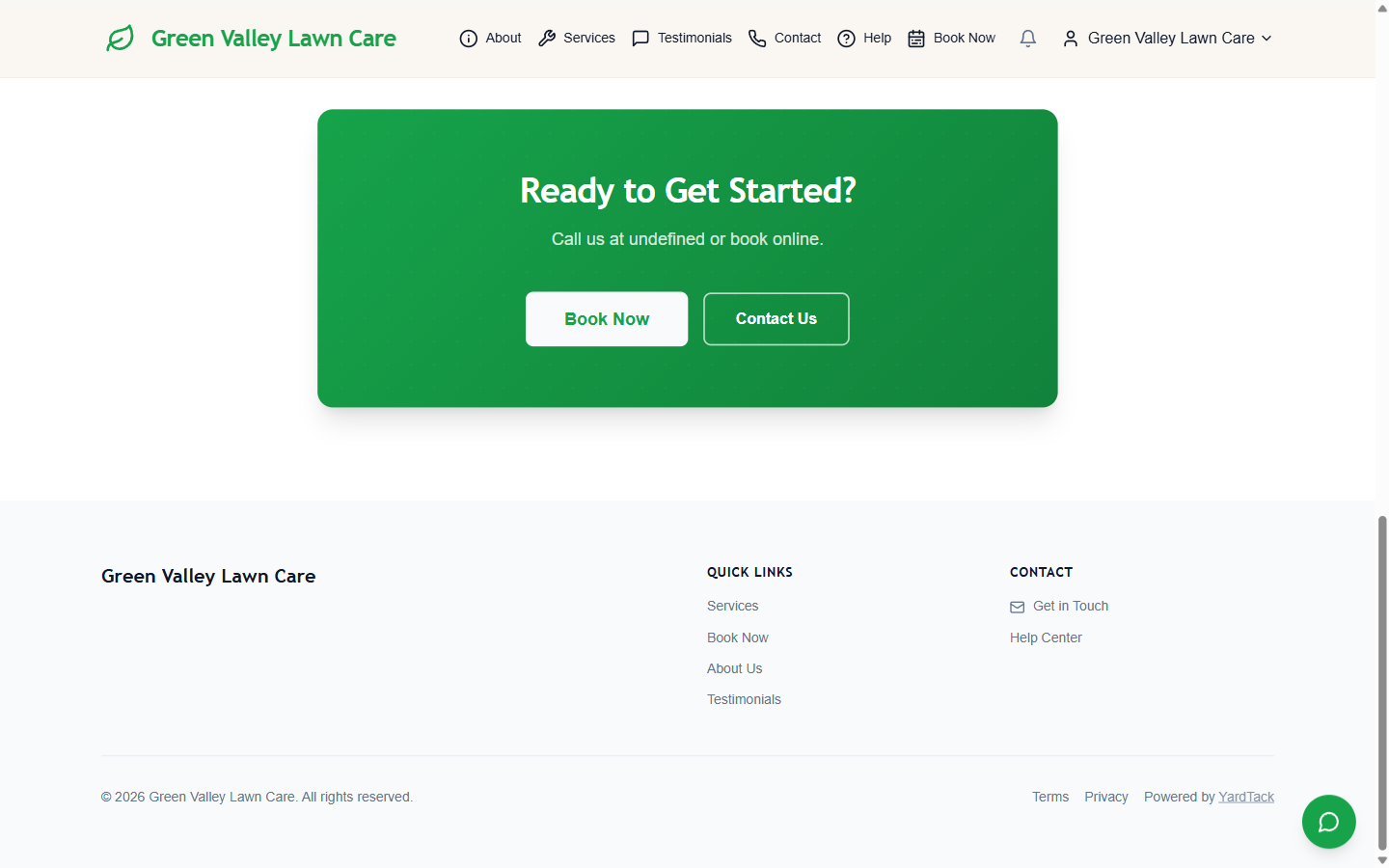
It's fine. But "fine" doesn't win customers when the landscaping company down the street has a site that looks like it cost $5,000.
On the Starter plan, the page editor, theme builder, and SEO tools are locked:
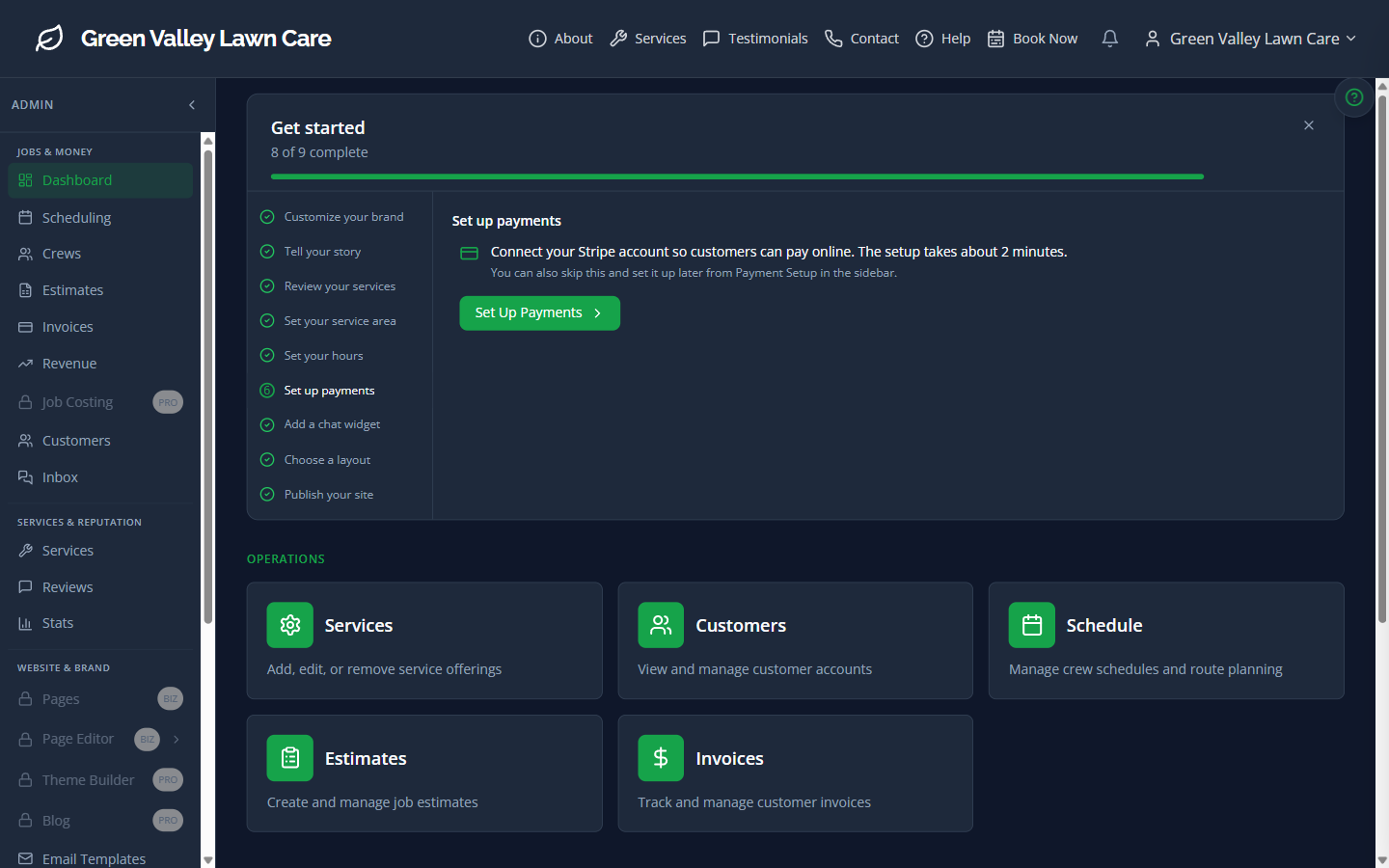
The Upgrade: Unlocking the Full Toolkit
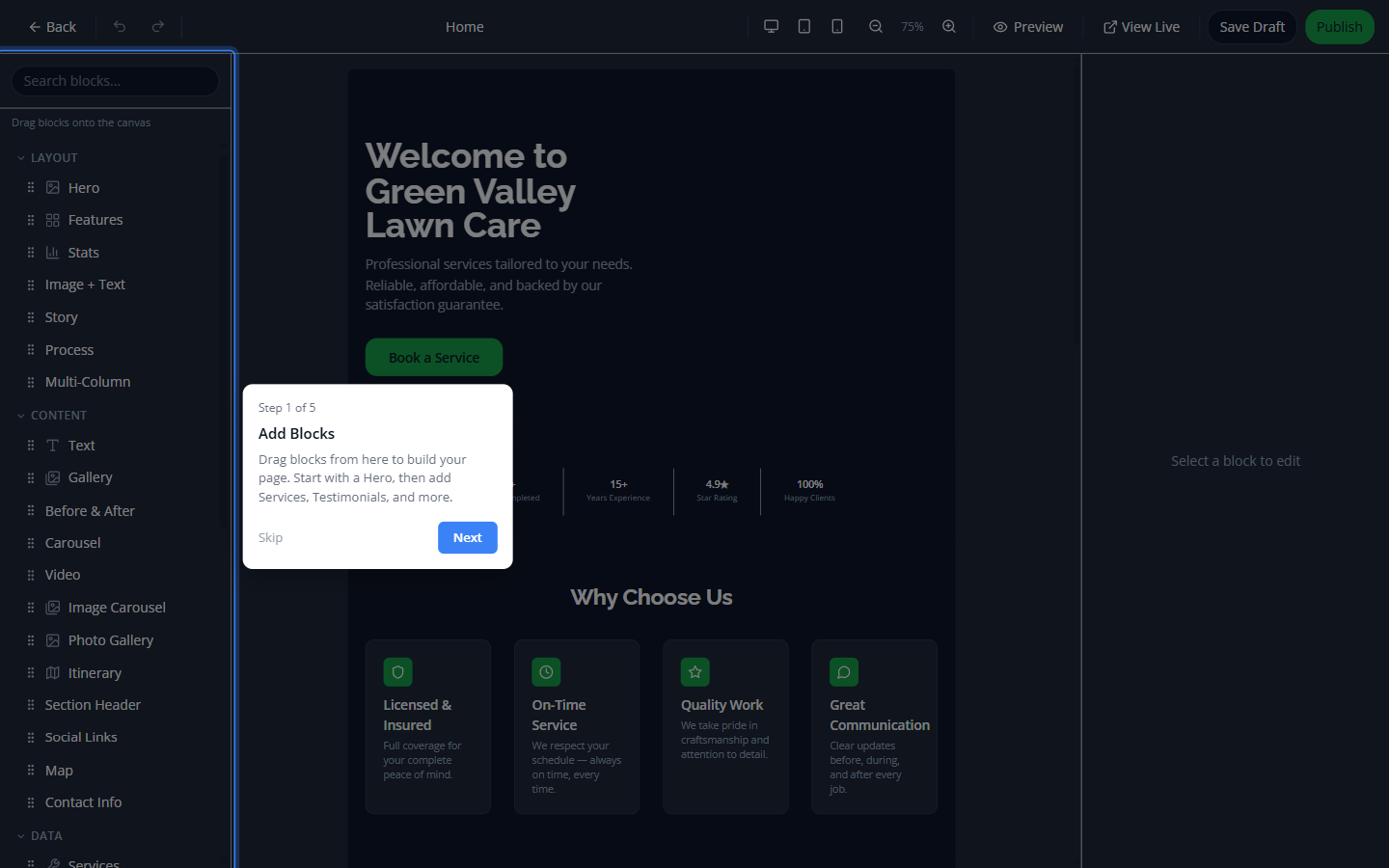
When you upgrade to the Business plan, everything opens up. The page editor, theme builder, SEO manager, and custom pages — all unlocked instantly:
Step 1: Transform the Theme
The theme builder lets you change your entire site's look in one screen. Pick your brand color, choose light or dark mode, select fonts, and configure everything from navigation style to button shapes:
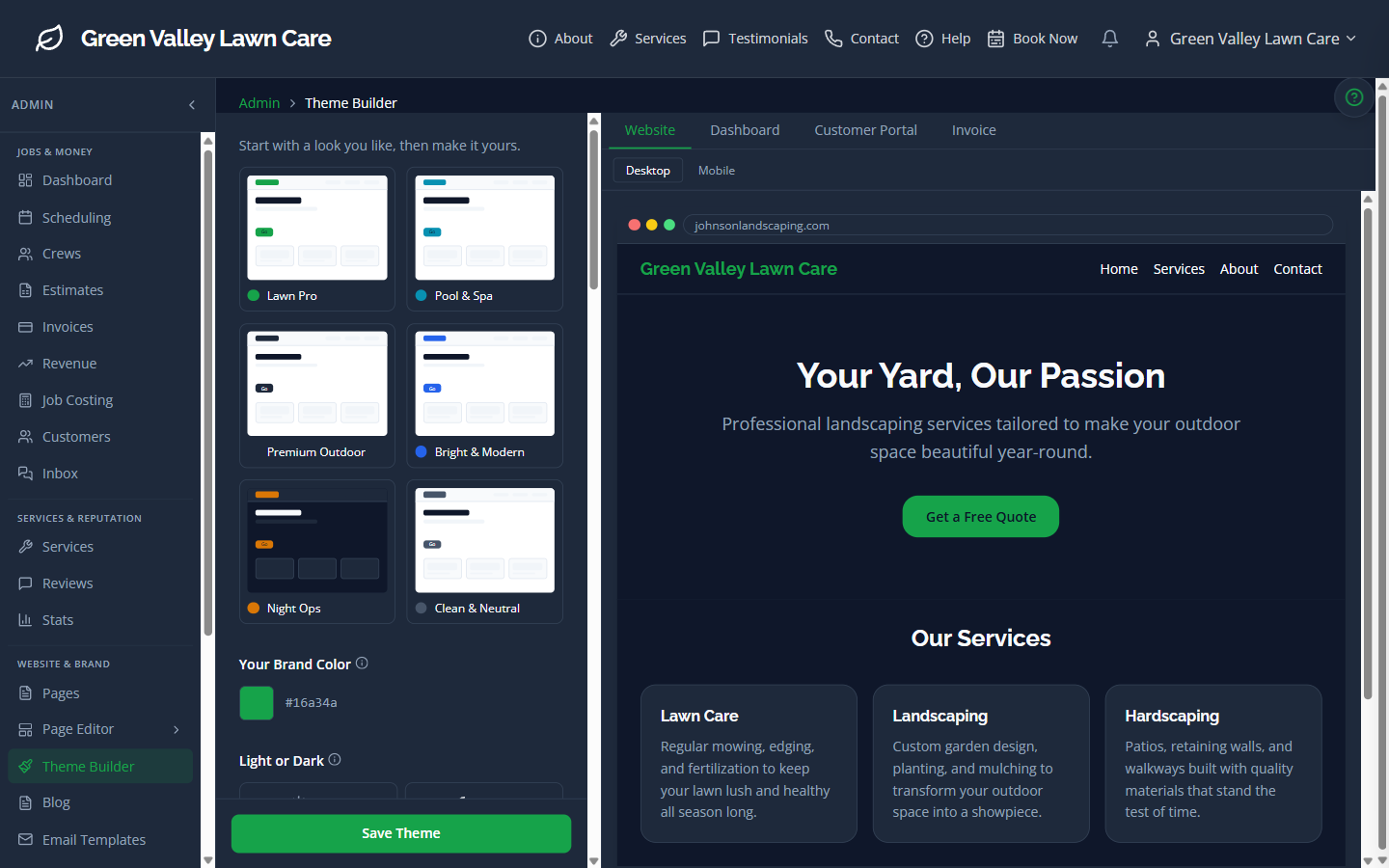
For this transformation, we went with:
- Deep navy primary color with a dark theme base
- Accent bar hero treatment for a modern edge
- Bold navigation and pill-shaped CTAs
- Serif heading font for a premium feel
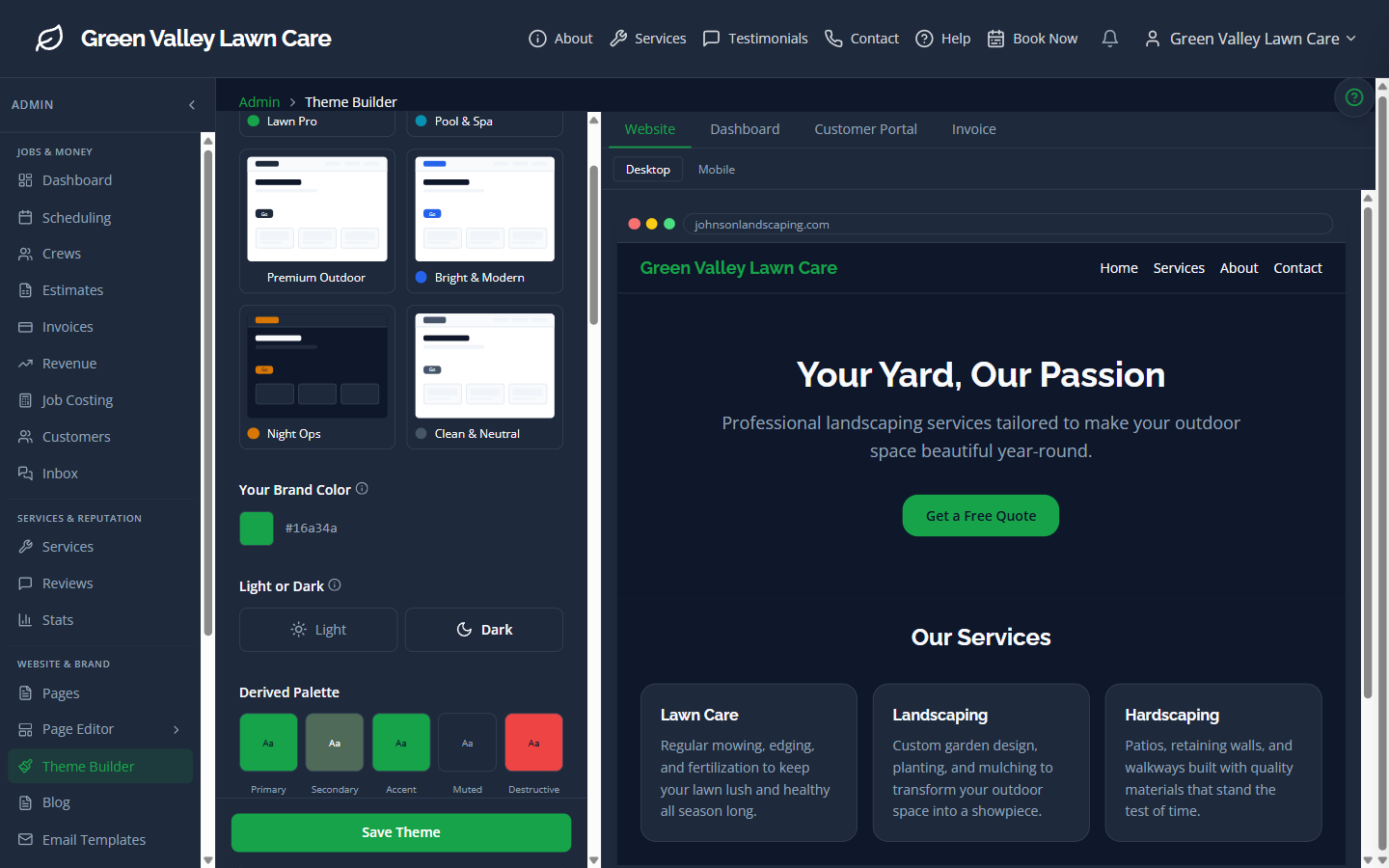
One click on "Save Theme" and every page on your site updates instantly:
Step 2: Redesign the Hero
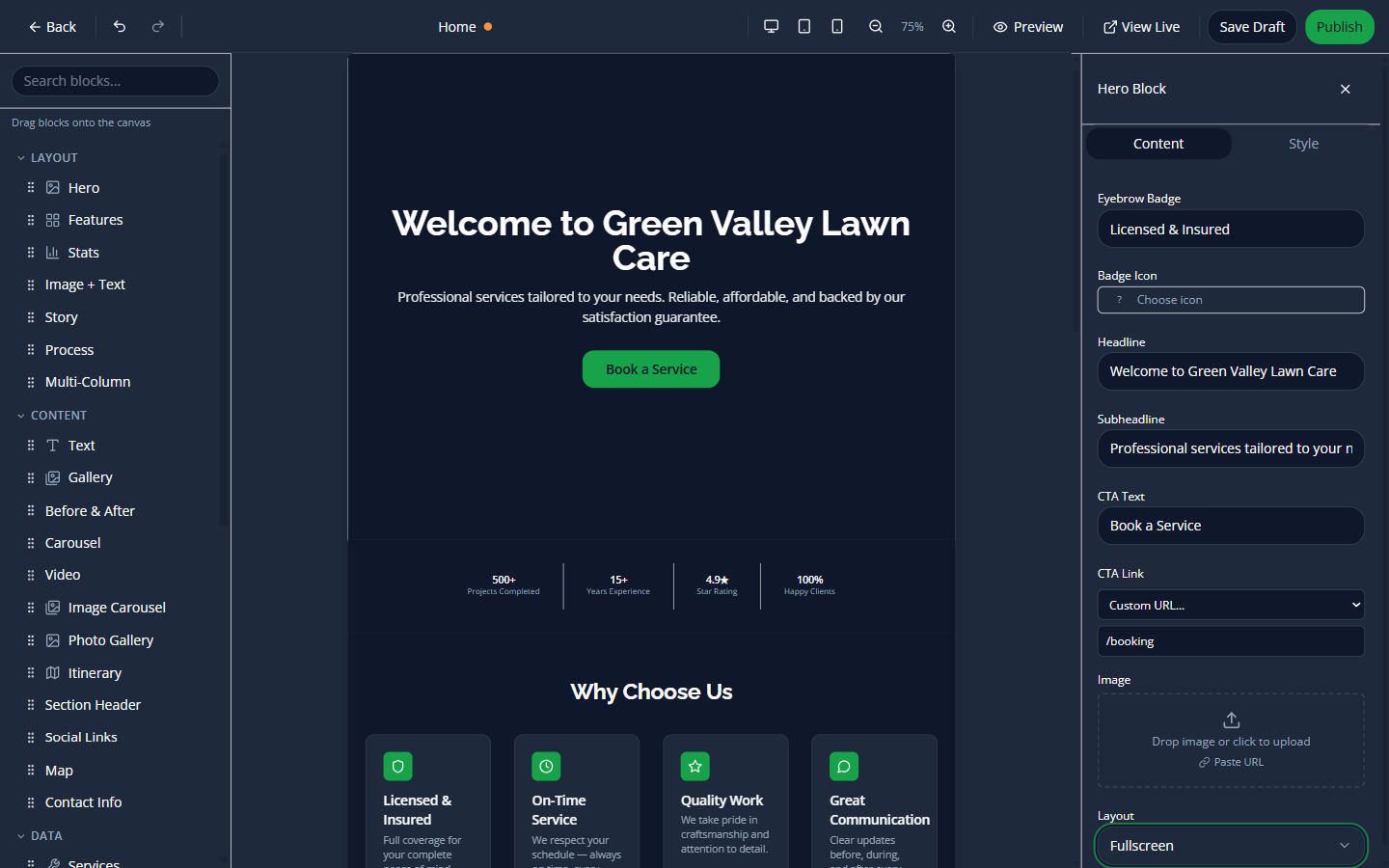
The page editor gives you a visual drag-and-drop canvas. Click any block to edit it, drag new blocks from the palette on the left:
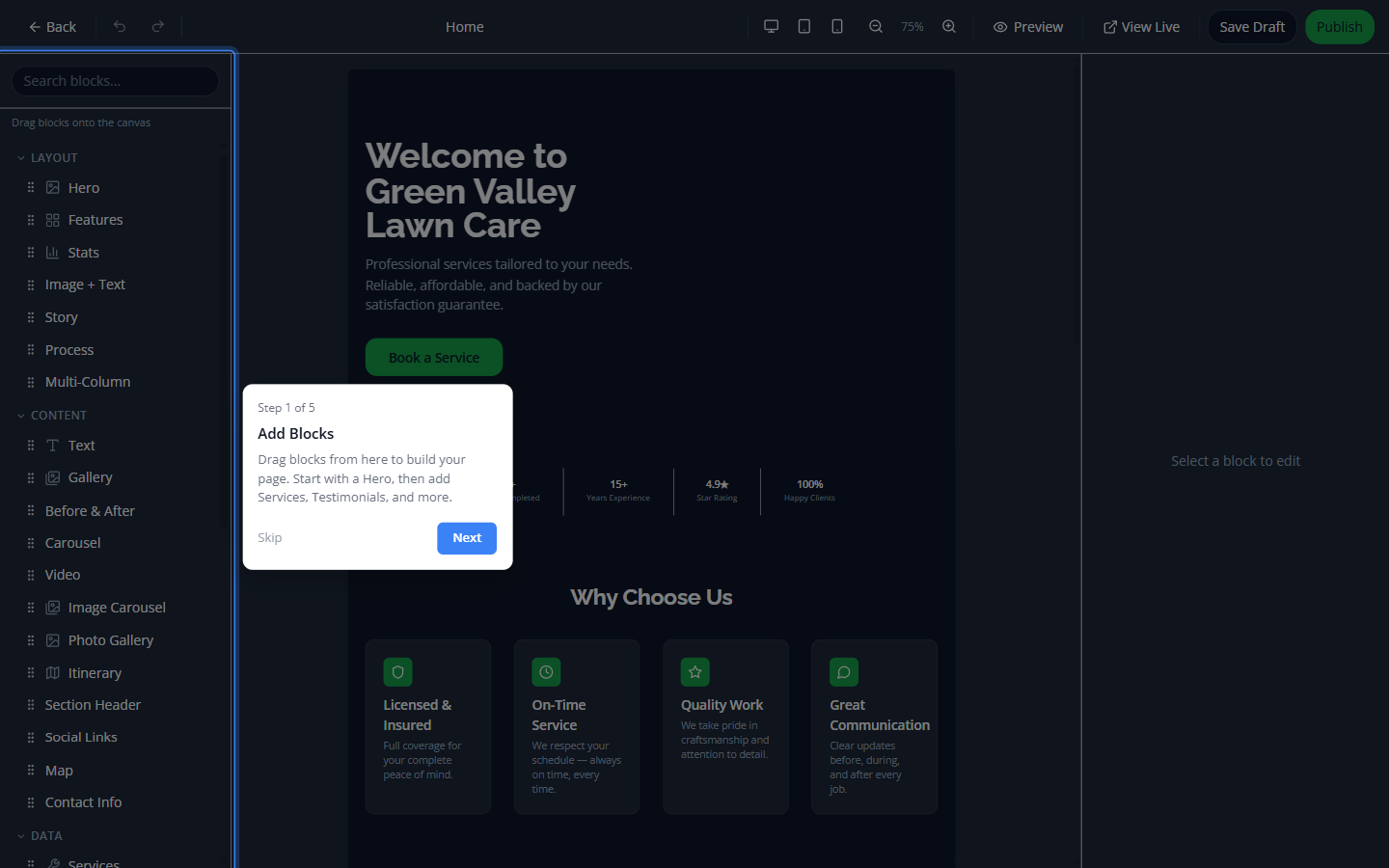
We switched the hero from the standard side-by-side layout to a fullscreen hero with a new headline and background image:
Step 3: Add Powerful New Sections
This is where it gets fun. From the block palette, we dragged in four new sections:
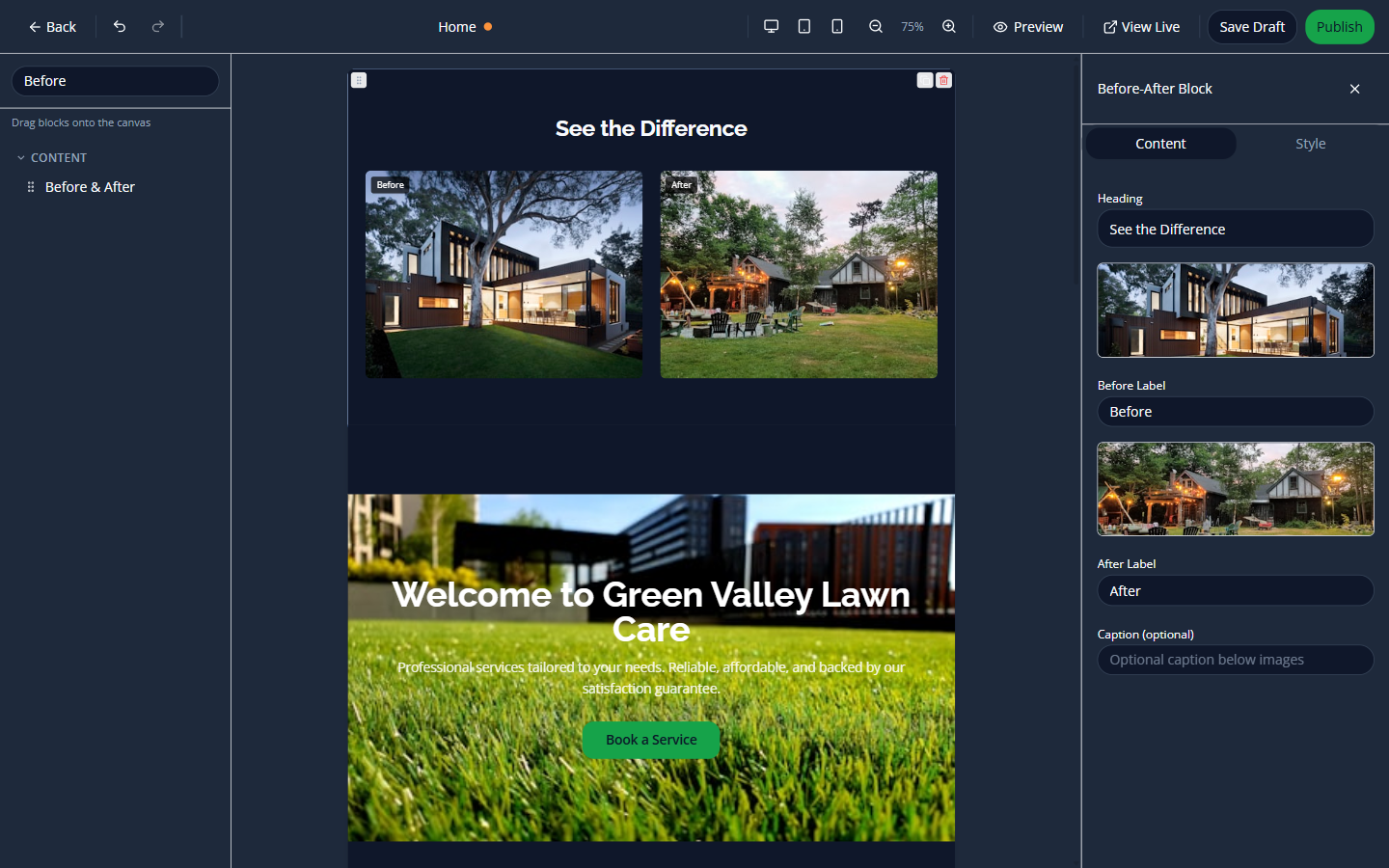
Before & After
Show prospects the difference your work makes. Upload two photos and let the comparison speak for itself:
How It Works
A step-by-step process block that builds trust — customers can see exactly what to expect.
FAQ
Answer common questions right on your homepage. Reduces phone calls and builds confidence.
Seasonal Promotion
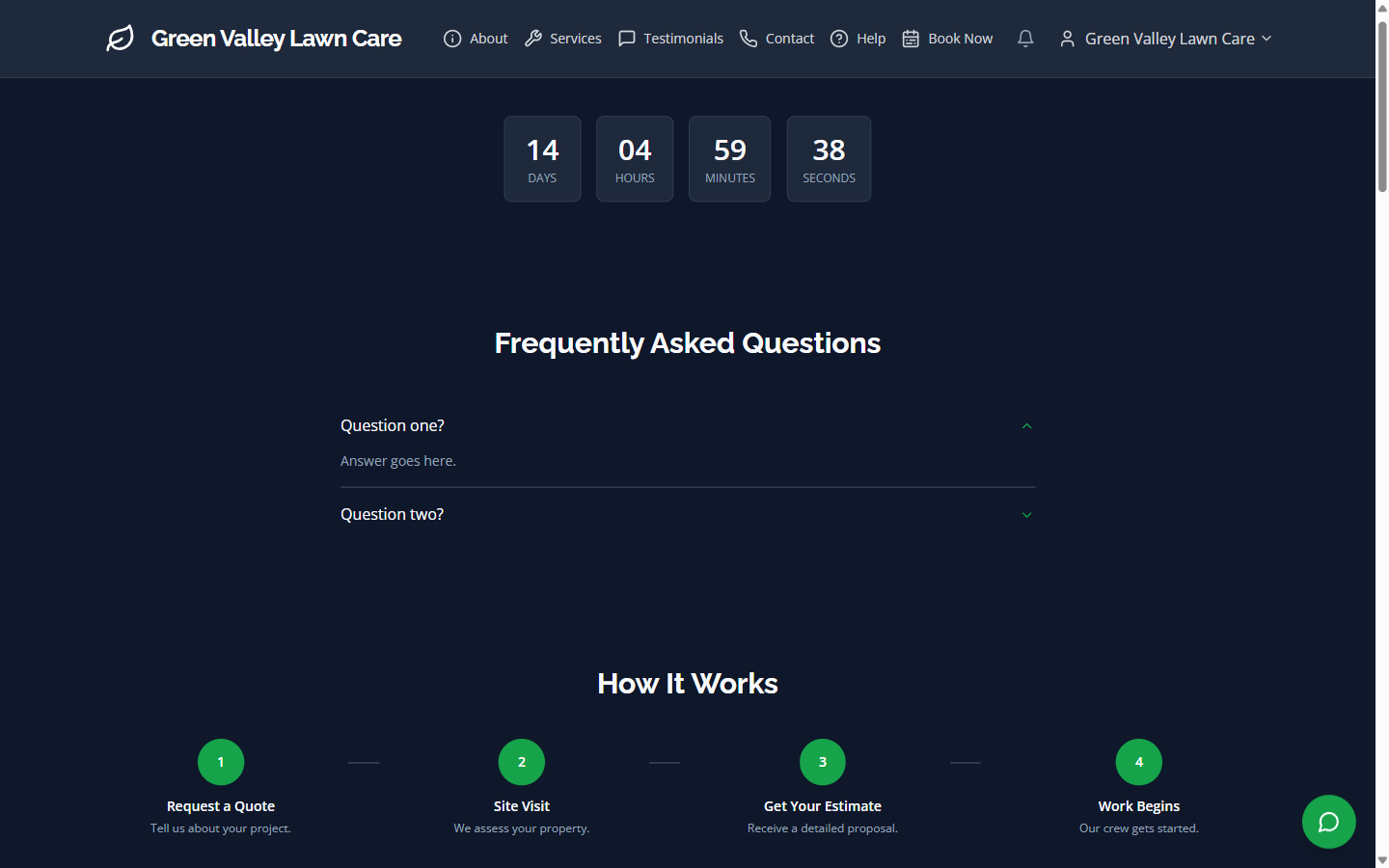
A countdown timer for your current special — creates urgency and drives bookings.
The Result: A Completely Transformed Site
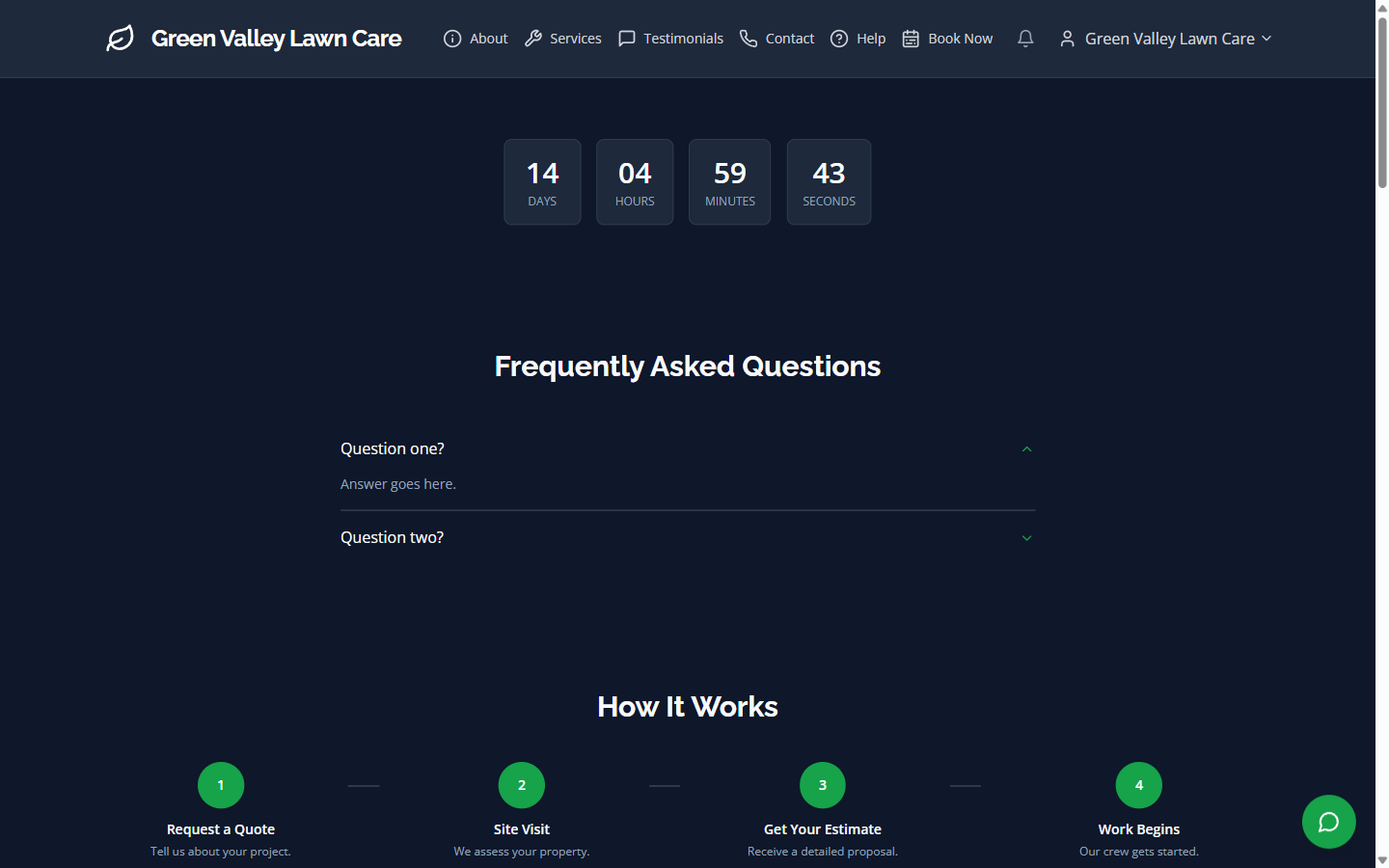
Hit publish, and your site is live. Here's the final result — compare it to the basic Starter screenshots above:
After: Transformed homepage hero
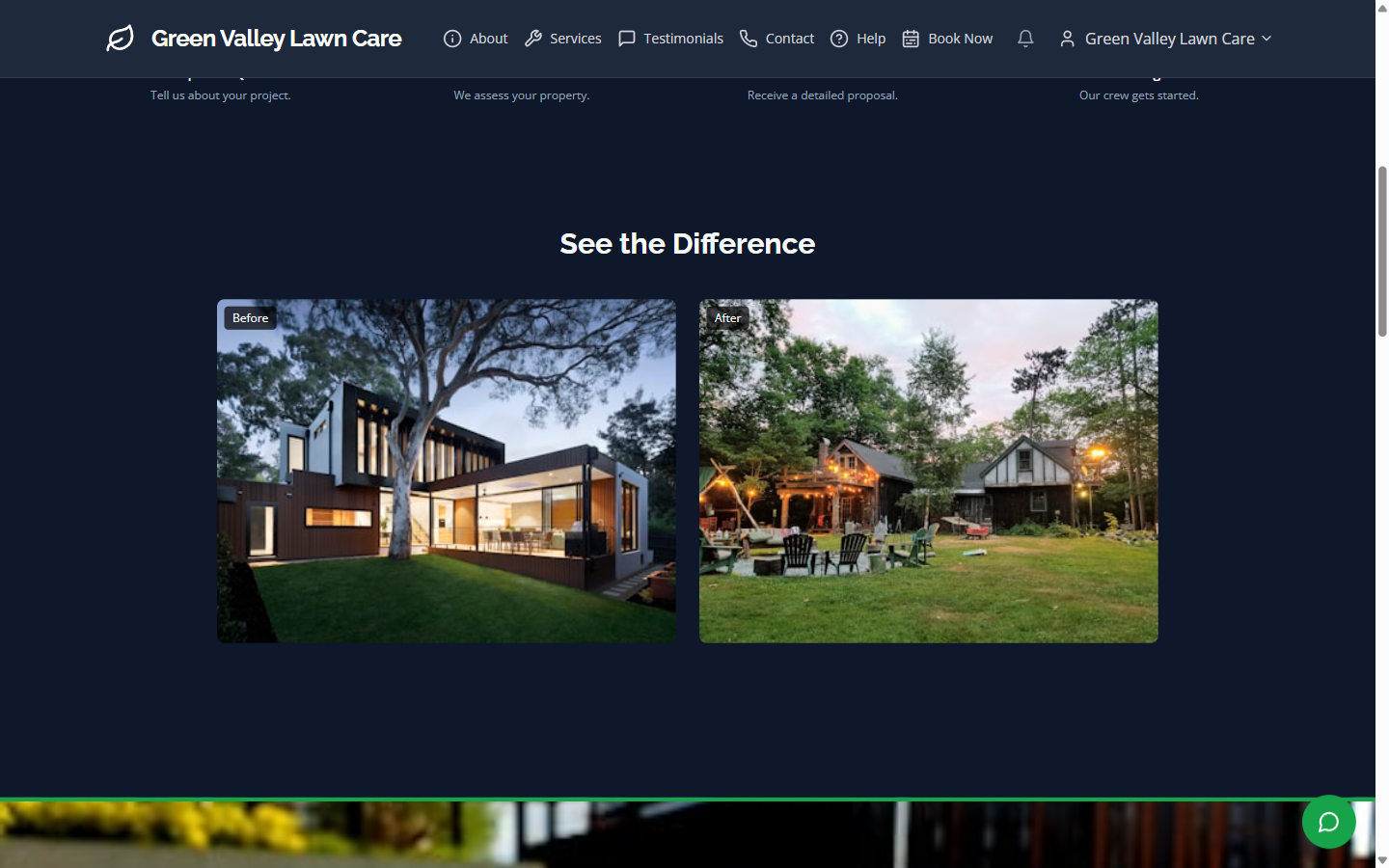
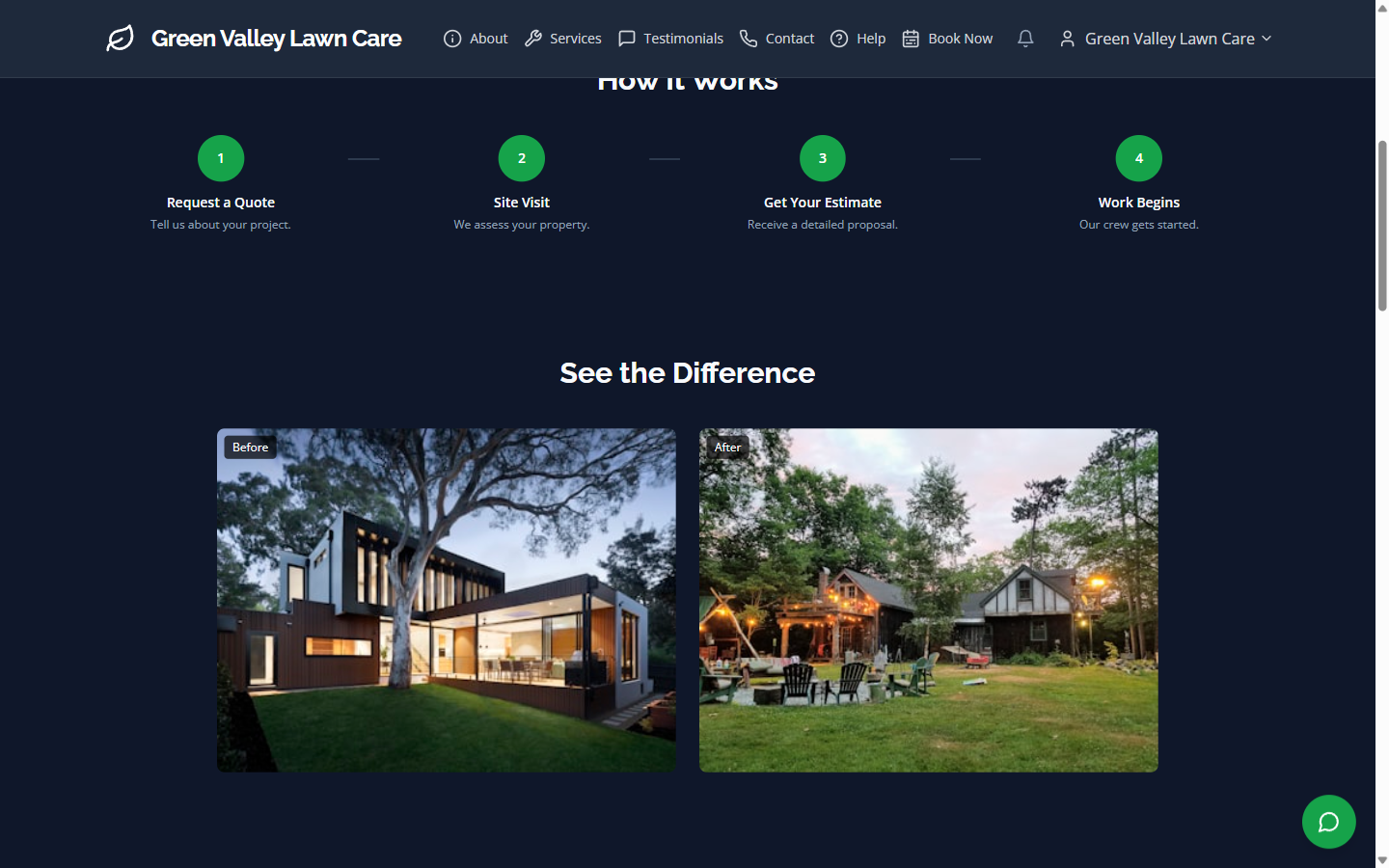
The before/after comparison block with real photos:
After: Before & after comparison block
The process steps build trust:
After: How-it-works process section
FAQ answers questions before they're asked:
After: FAQ section
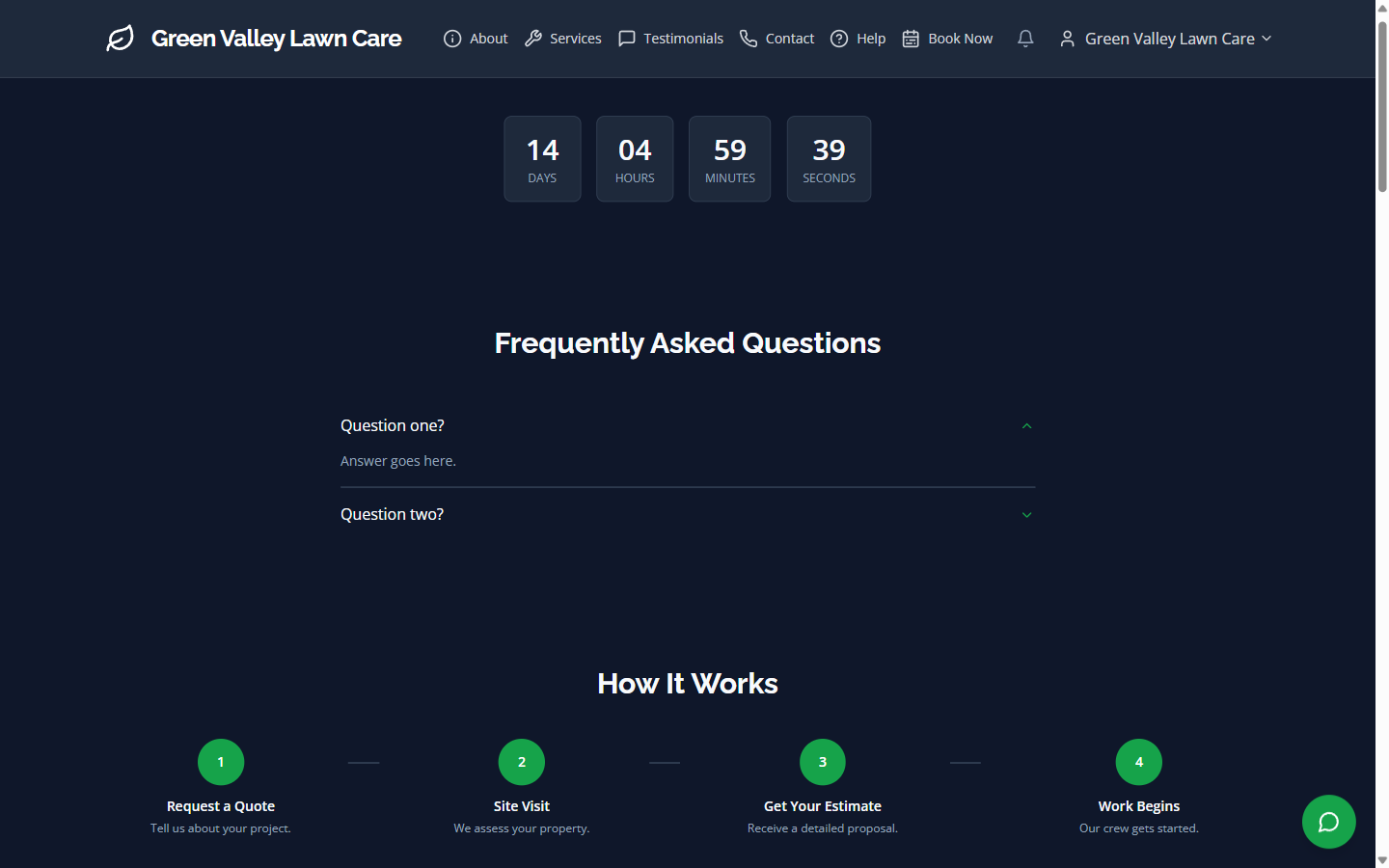
And the countdown promotion drives urgency:
After: Seasonal countdown promotion
Same Business. Completely Different First Impression.
No designer. No developer. No waiting weeks for revisions. Just you, the editor, and 5 minutes.
Everything you saw here — the theme builder, page editor, drag-and-drop blocks, before/after sections, FAQ, countdown timers — it's all included in the Business plan.
Ready to transform your site?